Recipes
Your recipe. The portion you actually serve.
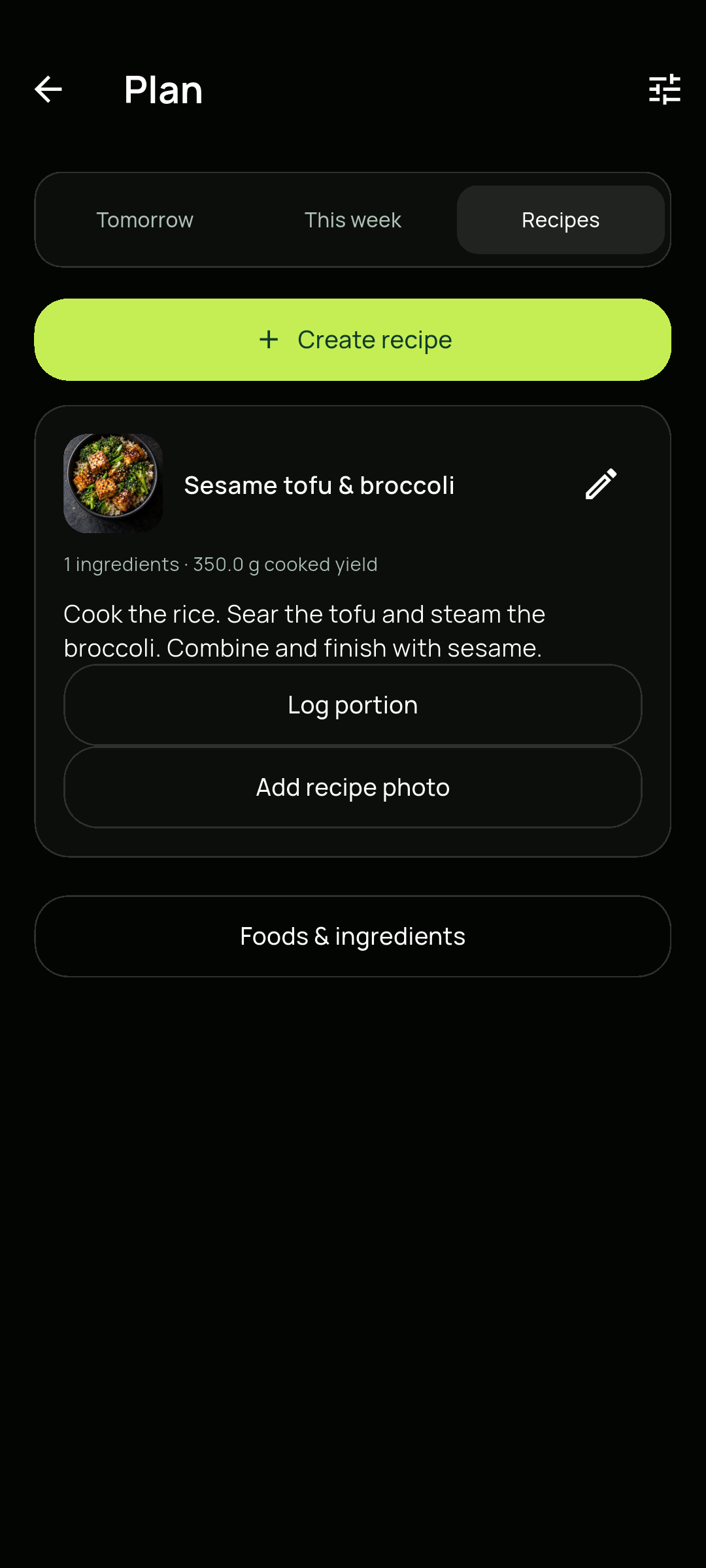
Save a batch of home cooking, enter its cooked weight and log each serving from the same recipe.
01
Build the whole batch once.
Open Profile → Meal plan & recipes → Recipes. Create a recipe from your saved ingredient foods, with the amount of each ingredient and the final cooked batch weight. Add preparation steps so the recipe stays useful next time.
- 01Save your ingredient foods with their nutrition values.
- 02Add each ingredient and its weight, including oil and other additions.
- 03Enter the cooked batch yield in grams, then save the recipe.
02
Weigh your serving. Review its share.
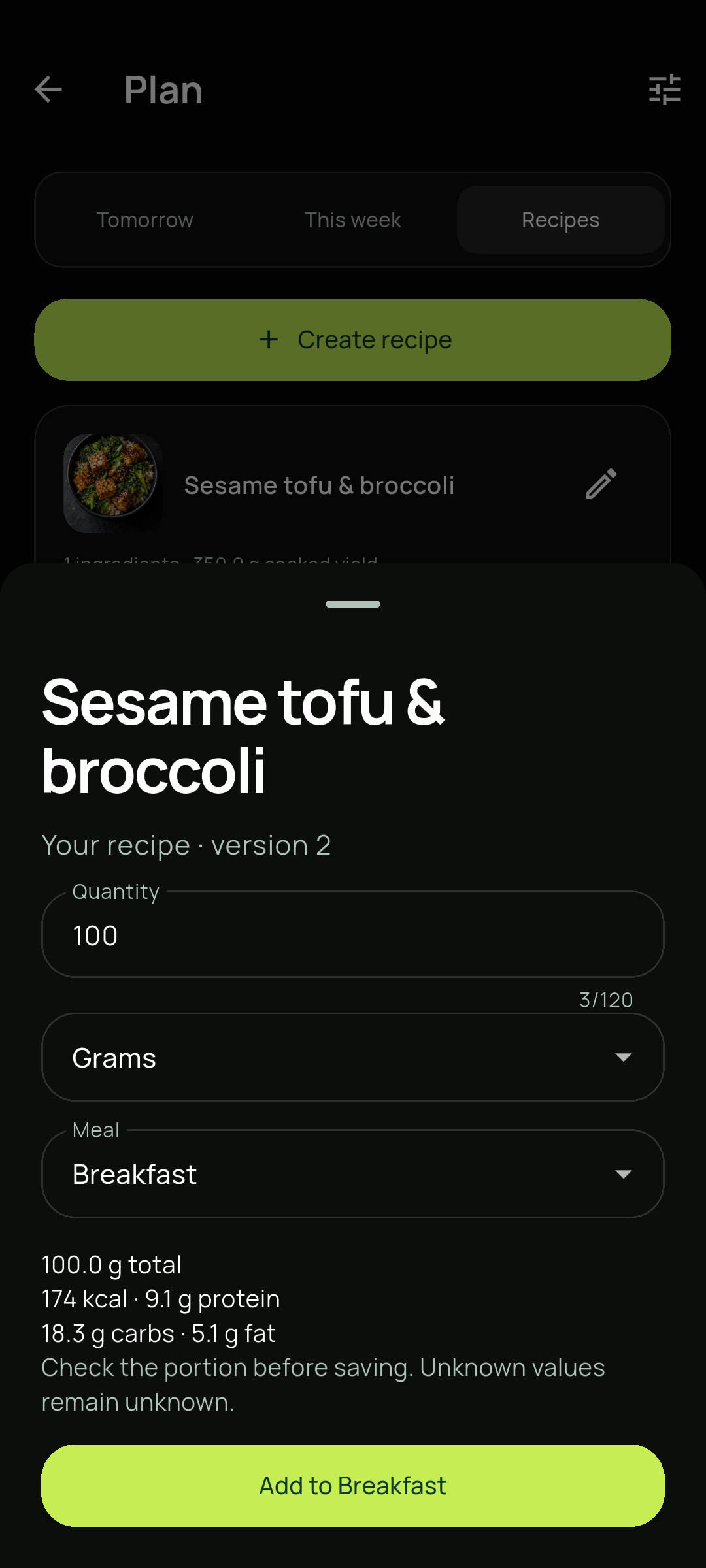
Choose Log portion on your recipe. Enter grams or a saved personal serving, select a meal group and review the calculated calories and macros before adding it to your diary.
- 01Choose the amount you are serving, not the weight of the whole batch.
- 02Check the calculated nutrition and meal group.
- 03Add the portion to your diary; the recipe stays available for the next serving.
A few useful details.
Why does cooked weight matter?
Cooking changes the weight of a batch as water is absorbed or lost. Track divides the batch nutrition using the cooked yield you enter, so a weighed serving receives the corresponding share.
What happens if I change the recipe later?
Recipe edits create a new version for future entries. Meals already recorded keep the nutrition values they had when you logged them.
What if an ingredient has missing nutrients?
Missing values remain unknown in the recipe calculation. Add label values to the ingredient when available; Track does not invent them.